Add content
Paste text or upload an image/PDF with event information.
Calendar Capture
Photo, PDF, camera
From photo, PDF, or camera. Export clean .ics in seconds.
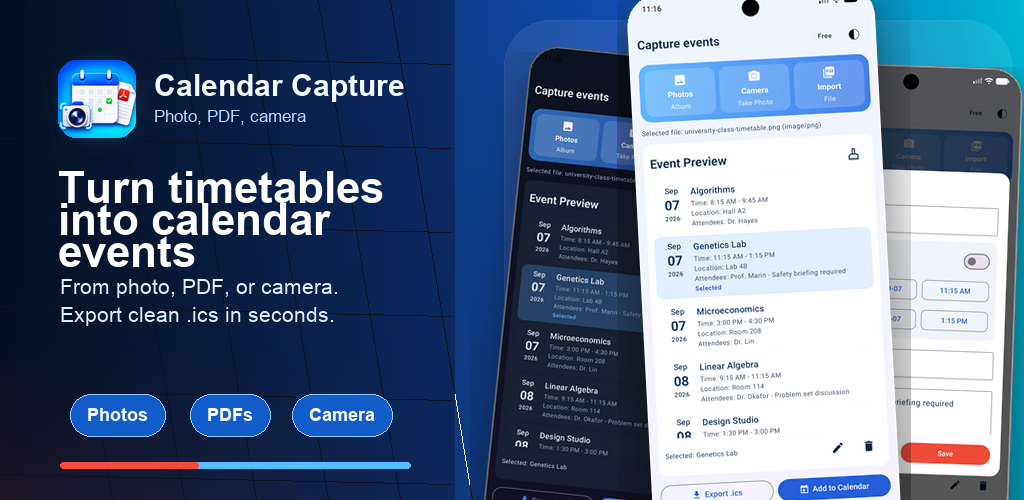
The app keeps the import flow short and focused, with a review step before anything lands on your calendar.
Paste text or upload an image/PDF with event information.
The app sends your selected content directly to Google APIs.
Review parsed events and add them to Apple Calendar, Google Calendar, or export `.ics`.
Calendar Capture does not run its own backend for your content. Data you choose to process is sent directly from the app to Google APIs. The app does not store your submitted content on a custom server.
Full details are available in the Privacy Policy. For help with the app, visit Support.
Quick answers about what the app does and how it works.
Calendar Capture turns screenshots, photos, PDFs, camera
captures, and pasted text into structured calendar events. You
review the parsed events and save them to Apple Calendar,
Google Calendar, or export an .ics file.
Photos and screenshots (PNG/JPEG), PDF documents, live camera capture, and pasted plain text.
Apple Calendar (via EventKit), Google Calendar (via the Google
Calendar API), and any calendar that imports
.ics files.
Yes — Calendar Capture runs on iOS, iPadOS, and Android.
Calendar Capture does not operate a custom backend that stores submitted content. When you choose to parse content, the selected text, image, or PDF is sent directly from the app to Google APIs for processing. See the Privacy Policy for details.
Yes. Every parsed event is shown for review and editing before anything is added to your calendar.
Students importing class timetables, parents capturing school or sports schedules, professionals turning conference agendas into events, and travellers converting itineraries into calendar entries.